

Disclaimer
When you first launch Qaptly Auto for iOS, you will be presented with a disclaimer that you must agree to before proceeding.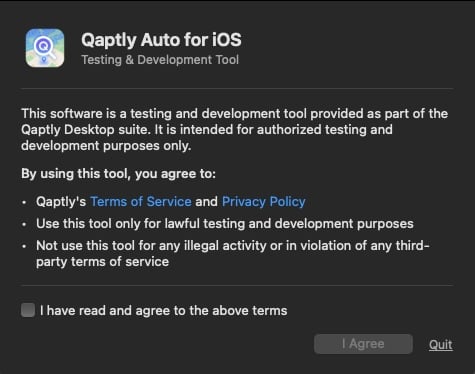
- Qaptly’s Terms of Service and Privacy Policy
- Use this tool only for lawful testing and development purposes
- Not use this tool for any illegal activity or in violation of any third-party terms of service
[!CAUTION] You must check “I have read and agree to the above terms” and click I Agree to continue. If you do not agree, click Quit to exit the application.
Account Status
After signing in, your account type and license status are shown in the left sidebar. Click the ⓘ icon next to your account name to view details.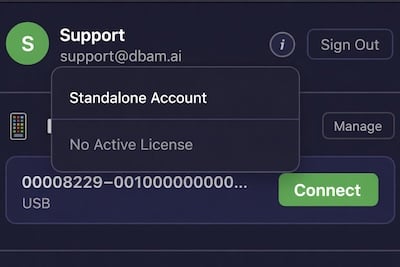
Without a License
If your account shows No Active License, you can still connect devices and test GPS simulation, but the simulated location will be restricted to Apple Park (37.334722, -122.009167). This lets you verify the setup is working before purchasing a license.Device Management
Click the Manage button in the account status area to view your bound devices.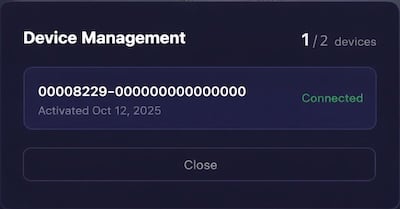
- Device count: How many devices are bound out of the allowed total (e.g., “1 / 2 devices”)
- Device ID: The unique identifier for each bound device
- Status: Activation date and connection status
Managing Devices
- Connected devices cannot be deactivated — you must disconnect a device before deactivating it.
- To use a different device, deactivate an idle device first, then activate the new one.
- Alternatively, you can purchase an additional license under a separate account.
Standalone License
If you are not a Qaptly user or do not have an active subscription, the application will prompt you to purchase a standalone license when you first attempt to bind a device.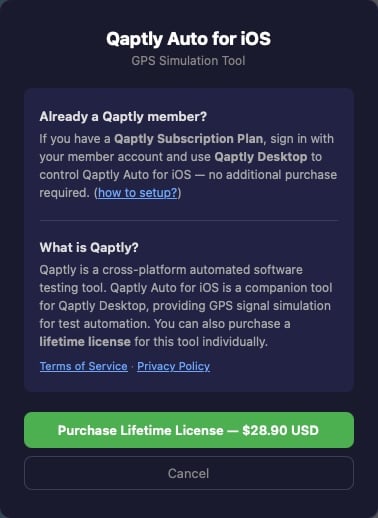
For Qaptly Subscription Users
If you are already a Qaptly user with an active subscription, simply sign in with your account and use Qaptly Desktop to control Qaptly Auto for iOS — no additional purchase is required. See how to setup.For Standalone Users
You can purchase a lifetime license for $28.90 USD. This is a one-time payment that includes:- Full GPS simulation to any location worldwide
- Bind up to 2 devices per license
- Lifetime access with no recurring fees
[!TIP] If you need more than 2 devices, you can deactivate an idle device and activate a new one, or purchase an additional license under a different account.